
A QR code for business card use should be 15–20 mm square, sit in a corner with a blank margin around it, and point to a link you can edit later rather than to frozen contact text. Get those three things right and the card keeps working after your number changes. Get the third one wrong and 500 printed cards become waste paper.
Below: how to make one, what it should encode, the exact print size, whether the free options are safe, and the three-phone test that catches problems while a reprint still costs nothing.
How do I make a QR code for my business card?
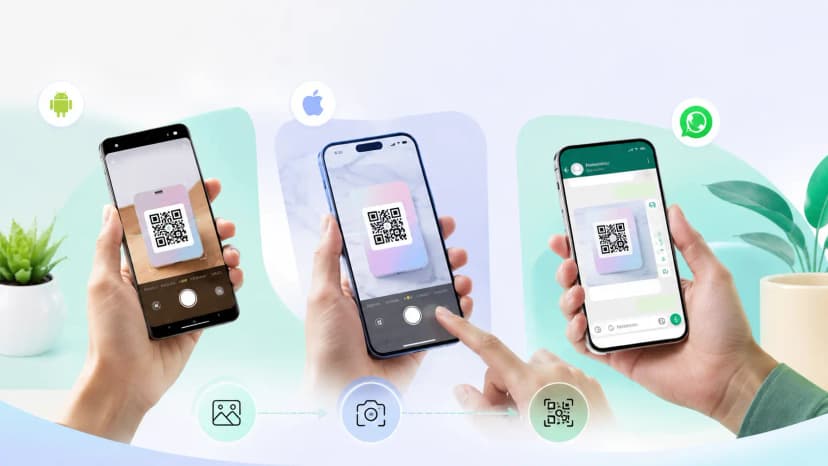
Build the destination first, then encode it. Most people do it backwards — they make the code, then wonder what it should open. Five steps:
- Set up the page the code will open — name, role, phone, WhatsApp, email, address, socials. You can create a free digital visiting card and use its public URL.
- Encode that URL. Keep error correction at level M or Q — enough redundancy to survive a printing smudge without making the pattern needlessly dense.
- Download SVG, or PNG at 300 DPI. This is where most cards fail: a screenshot looks fine on a laptop and turns to mush at the printer.
- Place it with a quiet zone — a blank margin roughly four modules wide on all four sides. Crowding the edge with text or a border is the single most common reason a printed code will not read.
Label it. Two words — "Scan to save" — lifts scans, because people scan when they know what they are agreeing to. For how the code sits alongside the rest of the layout, our visiting card samples guide shows what a well-balanced card actually looks like.
The mechanics are the same whether you make QR code for business card layouts in Canva, in Illustrator, or through your printer's template — what matters is the destination and the resolution, not the tool.
Is a QR code for a business card free to create?
Yes — generating the image costs nothing, and any tool that charges you purely to produce a static code is overcharging. A QR code for business card free of cost is genuinely standard. The cost question only appears with dynamic codes, where somebody has to keep a redirect running for years.
Before you generate free QR code for business card artwork on the first site that ranks, check four things:
- Does the code expire? Several sites give a dynamic code away, then kill the redirect after a trial. That is the worst possible failure for something already printed.
- Can you download vector? SVG or EPS lets the printer scale it without softening the edges.
Whose domain is the redirect on? An unfamiliar short domain triggers warnings on some corporate networks and cautious scanners. A tag that opens with "no supported app for this NFC tag" is a related but separate problem, and it is fixable.
- Is there an ad page before your content loads? On a first meeting that is an expensive two seconds.
A free digital business card QR code that points at a profile you control sidesteps all four, because nobody else owns the link. That is also the honest answer to which QR code business card generator to use: the profile platform itself. Any QR code for business card generator that hosts the redirect on its own short domain owns your card's future, and a print run is a long time to trust a stranger's uptime.
What size should the QR code be on a business card?
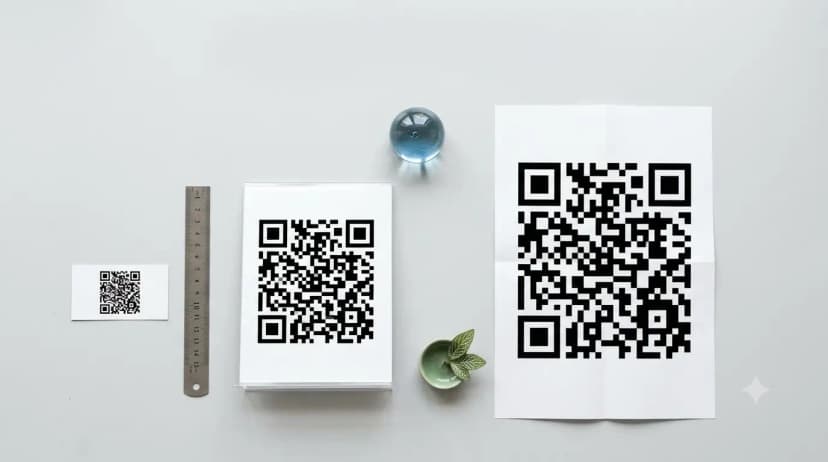
Between 15 and 20 mm square, with 12 mm as the hard floor. The rule behind it is 10:1 — divide the scanning distance by ten to get the minimum code width, and a card is read at roughly 150–200 mm. On a standard Indian business card of 89 × 51 mm, a 20 mm code fits a corner without dominating the layout. Getting the QR code for business card size wrong in the small direction is far more damaging than going slightly large — nobody has ever failed to scan a code because it was 2 mm too big. The full QR code size guide covers the distance maths and the module minimums.
One lever people miss: a shorter destination URL produces a simpler, chunkier pattern that reads faster at the same physical size. A long vCard payload forces a dense grid that needs more millimetres to stay readable. On a chip card the constraint is different again — NFC card size is fixed by standard.
Should the QR code link to a vCard or a web profile?
A web profile, in almost every case. A vCard QR drops a contact straight into the phonebook, which sounds efficient, but it is limited to the few fields the vCard format supports and it is frozen the moment it is printed. A digital business card qr code that opens a live page shows your photo, services and socials — and still offers a one-tap save-contact button, so you lose nothing and gain everything that changes over time.
The exception is a genuinely offline context — a site with no signal, an event badge for two days — where a vCard works without a network. For a card you will hand out for years, a digital visiting card qr code wins on every axis that matters later.
Can I change what my business card QR code points to after printing?
Only if it is a dynamic code. A dynamic QR stores a short link, so editing the destination updates every card already in circulation — including the ones in strangers' wallets. A static QR stores the data itself inside the printed pattern and can never be changed; the only fix is reprinting. This is the single most consequential decision on this page, and it is invisible once the ink is dry.
Practical rule: static for things you will reprint anyway, like a two-day expo badge. Dynamic for anything carrying your name that you expect to hand out for the next two years.
Do QR codes on business cards work without an app?
Yes. Every iPhone since iOS 11 and effectively every Android phone sold in India in the last several years reads QR codes from the stock camera app — point, wait a beat, tap the banner. No download, no account, nothing for the other person to install. That universality is the QR's real advantage over NFC, which needs a compatible phone and physical contact; the NFC versus QR comparison covers where each one wins.
How to get a QR code if you have no design tool
You do not need Illustrator. The shortest route to how to get QR code for business card artwork is to let the profile platform produce it: set up the page, download the code it generates, and hand that file to your printer with the placement marked. Most local printers in India will position it for you if you specify the size in millimetres and ask for a clear margin. If you would rather create QR code for business card layouts yourself, any free generator plus a 300 DPI export does the job — the design tool is the least important part of the chain.
Test before you print the batch
Print one card on ordinary paper at final size. Scan it with three phones — an older Android, a recent Android, an iPhone — in dim indoor light, because that is where cards actually change hands, not in daylight. Open the landing page on mobile data rather than office wifi. If all three read it in under two seconds, approve the run. If any hesitates, add 2 mm to the code before you touch anything else in the design.
The part that decides everything
Size and placement are easy to fix in a reprint. What you encode is not. A card carrying a digital business card with QR code pointing at an editable profile survives a job change, a new number and a shifted office; the same card carrying static text dies with the first of those. Decide that before you decide anything visual. If you want the code and the profile handled together, a ProfileTap card with NFC and a printed QR ships with the two already linked.