Here is how to use NFC business card sharing in one line: hold the card flat against the back of the other person's phone, wait for the notification, and let them tap it to open your profile. No app on either side, no typing, under two seconds. If you have just received an NFC business card or are thinking of getting one, this guide covers how it works, how to share it confidently, and what to do when the tap does not land.
TL;DR
Say what you are about to do, hold the card against the top or centre of the back of their phone, wait two seconds, and let them tap the notification. If nothing happens, slide the card slowly across the back to find the antenna; if still nothing, show the QR on the same card. Follow up the same evening with the people whose taps show in your dashboard.
How an NFC business card works
The card holds a small chip storing one thing: a URL to your digital profile. When it comes within a few centimetres of an NFC-enabled phone, the phone reads the URL and shows a notification; one tap opens the profile in the browser. Because the profile is web-hosted, the chip never goes out of date; whatever is live on the profile is what the next tap shows. The chip is read-only from the recipient's side and the exchange runs one way. For the technology itself see what an NFC card is, and for how it differs from the wider tag family, RFID vs NFC.
What you need
- An NFC card linked to a live profile; any card from the NFC cards range ships this way.
- The other person's phone with NFC on. Most Android phones sold since 2015 and iPhone 7 or later qualify; phones with NFC in India lists them by brand.
- Mobile data or wifi on their phone. The tap itself works offline; the profile page does not.
- A screenshot of your QR saved to your camera roll, for phones without NFC.
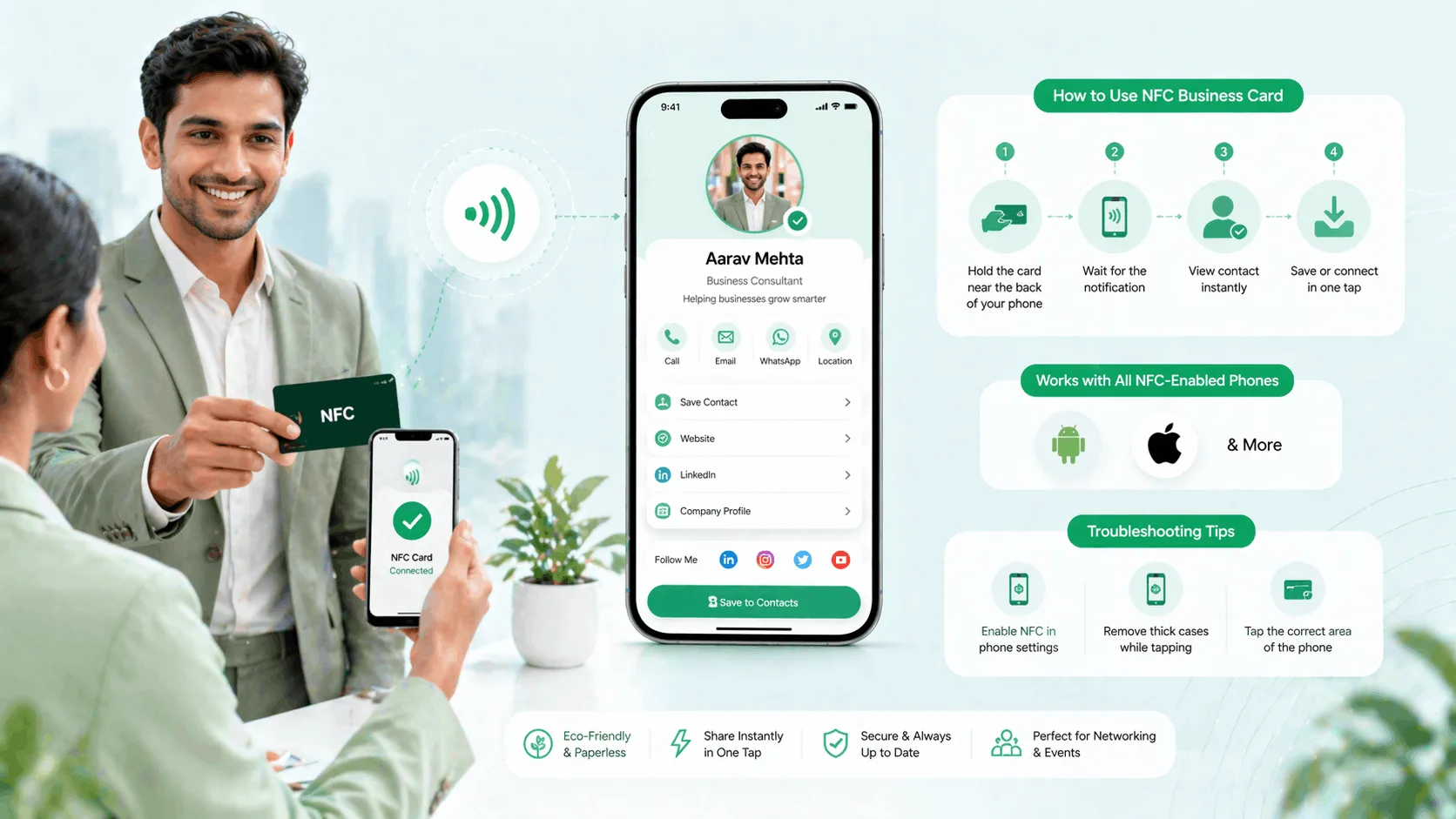
Step 1: Hold the card near the back of their phone
Say it first: Let me tap this to your phone. Many people in India have not met an NFC card yet, and announcing it stops the moment feeling odd. Then hold the card flat within 2 to 4 cm of the back of their phone. You do not need to press. On most Android phones the antenna sits near the centre or upper back; on iPhones it is the top edge. Samsung tends to be centre-back, Redmi and Xiaomi top-back, OnePlus near the centre.
Step 2: Wait for the notification
A small banner appears at the top of their screen, typically a URL notification or a tag-detected message. Some phones open the browser directly. Give it two seconds.
This is the step that fails. If nothing shows after two seconds, do not press harder; move the card slowly across the back of the phone. You are finding the antenna on their specific model. A thick leather or metal phone case can block the read; ask them to hold the card at the edge of the case or take the case off.
Step 3: They tap to open your profile
One tap on the banner opens your profile in their browser: name, photo, designation, contact buttons and links. Nothing is installed and no account is created on their side.
Step 4: They save or act
From the profile they can tap Save Contact, open WhatsApp, book a call or follow any link you have added. Point to the Save Contact button while the page is open; most people stop at looking unless prompted.
Step 5: Check your dashboard and follow up
Taps register as profile views with a time, along with any link clicks and contact saves. A tap means the person was engaged enough to open your page; send a WhatsApp follow-up that evening while the conversation is still fresh.
When the tap does not work
No reaction at all usually means NFC is off on an Android phone: Settings, Connected devices, NFC. iPhone 7 and later need no setting; iPhone 6 and earlier cannot read tags, so show the QR. If the toggle is on and nothing happens, work through NFC card not working. The phone reacts but the page does not load: they are offline; ask them to switch on mobile data and reopen the link. A message saying no supported app for this tag is a different fault, covered in no supported app for NFC tag. Metal cases blocking the read is the same physics that makes metal cards different from PVC.
NFC tap vs the other ways to share
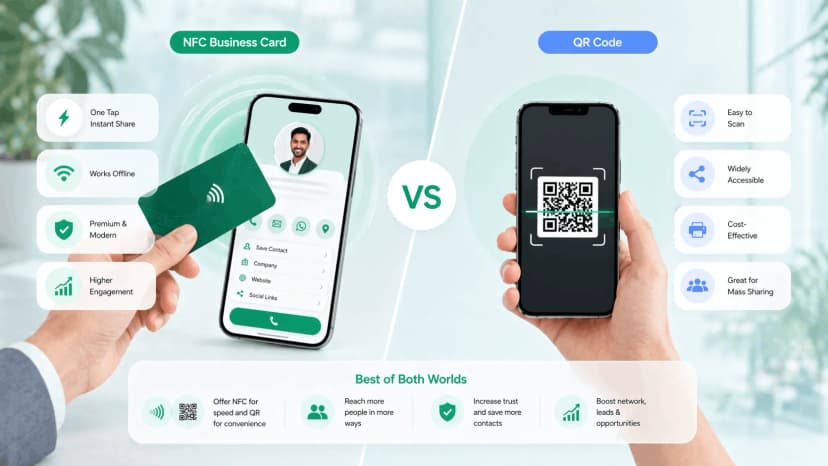
| Feature | NFC tap | QR scan | WhatsApp contact share |
|---|---|---|---|
| Works on every phone | No, needs NFC | Yes, needs a camera | Yes |
| Needs physical proximity | Yes, a few cm | No, works across a table or off a screen | No |
| What they receive | Full live profile | Full live profile | Name and number only |
| Stays current after you change details | Yes | Yes | No, frozen in their contacts |
| Shows up in your analytics | Yes | Yes | No |
| Feel in a meeting | Deliberate, professional | Neutral | Informal |
Carry a card that has both chip and QR and you never have to think about which one. The conversion differences are in NFC business card vs QR code.
Why the tap works
- Under two seconds, nothing to type or scan
- Opens the full live profile, not a static contact
- Every tap is a warm-lead signal in your dashboard
- Reads as prepared and professional
Where the tap falls short
- Older or budget phones without NFC need the QR fallback
- Thick cases can block the read
- Needs the other person's phone in hand, so it suits one-to-one moments, not a room
- Some people need the tap explained the first time
Common mistakes
- Tapping without warning. Say what you are doing first; a card suddenly held against someone's phone reads as strange.
- Burying the card in a bag. The tap's whole advantage is speed. Front pocket, jacket card holder or the outer slot of your bag.
- Forcing it in the wrong room. At a startup event or a CII meeting the tap is expected; at a traditional trade fair or a family business meeting, lead with the conversation and offer it as follow-up.
- Not following up. The dashboard tells you who opened the profile; ignoring it wastes the one thing a paper card could never give you.
You're done
Announce, hold, wait, let them tap, follow up. That is the whole technique. If you do not have a card yet, create your free digital business card first and add the NFC card when you want the in-person tap. If the other person's Android will not read anything, how to enable NFC on Android is the page to show them.