
You're stuck behind a wrongly parked car in a housing society in Mumbai. You need the owner to move it - but there's no number on the windshield, the security guard doesn't know whose car it is, and you've been waiting 20 minutes. A parking contact QR sticker on that windshield would have solved this in 10 seconds.
Quick answer: A parking contact QR code is a scannable sticker on your car windshield that links to a vehicle profile. When your car blocks someone, they scan it and reach you by call or WhatsApp in seconds — and call masking keeps your personal number private. It's the simplest wrong parking solution for India's crowded streets.
- Any blocked driver scans the parking qr sticker and reaches you instantly — no app needed.
- Call masking connects the caller through a privacy number, so your real mobile number is never shared permanently.
- It works everywhere parking gets tight — housing societies, markets, offices, hospitals, and event venues across India.
- Set up a qr code for car parking in under 15 minutes, and update your number or message anytime without reprinting the sticker.
Wrong parking is one of the most common, most avoidable daily frustrations in Indian cities. A vehicle QR code sticker on your car doesn't prevent you from parking in a tight spot - it just makes sure that when someone needs you to move, they can reach you instantly.
For drivers across India, a parking contact qr code is the wrong parking solution that has been missing — a qr code for car parking that any blocked driver can scan, with one parking qr sticker on the windshield doing the rest.
The Wrong Parking Problem in India
Anyone who's lived in an Indian city knows this problem personally. It plays out the same way across Mumbai, Delhi, Bangalore, Hyderabad, Pune, and Chennai - anywhere parking space is tight relative to the number of vehicles.
Housing societies. Visitor parking gets filled by residents. Residents double-park in front of each other. Emergency vehicles get blocked. The security guard at the gate becomes an unwilling mediator for disputes that should take 30 seconds to resolve.
Markets and commercial areas. Khan Market in Delhi, Hill Road in Mumbai, Commercial Street in Bangalore - wherever foot traffic meets parked cars, double-parking and blocking happens constantly. The parker is "just running in for five minutes." The person they've blocked has no way to find them.
Office complexes. Basement parking and surface lots in IT parks are perpetual sources of blocked-car frustration. Colleagues end up chasing each other through offices and making overhead announcements to find the owner of a blocked car.
Hospitals. Possibly the worst context - a car blocking another car in a hospital parking area, when the blocked car's owner may urgently need to leave. Every minute matters.
Religious and event venues. Temples, churches, gurudwaras, wedding halls - wherever large gatherings happen and parking is informal, blocking is nearly certain.
The current "solutions" - scribbling your number on a piece of paper and leaving it on the dashboard, asking the security guard to broadcast your plate number, or simply waiting - all share the same problem: they require you to have planned ahead, and they give your number to a complete stranger permanently.
How a Parking Contact QR Code Works
The process is as straightforward as it gets:
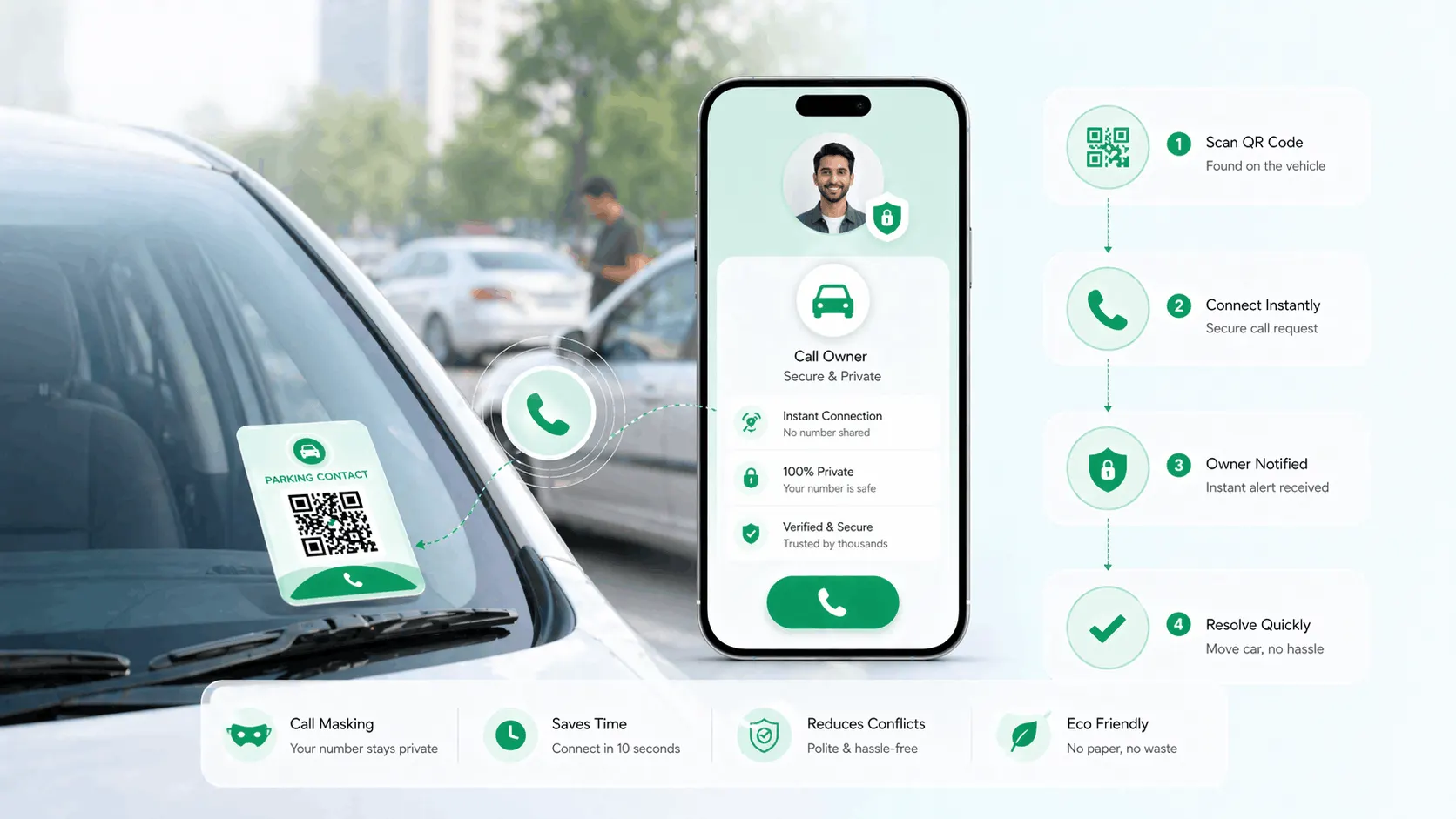
- QR sticker is on your windshield. Visible to anyone standing near your car.
- Blocked driver scans it. Any smartphone camera handles this - no app needed.
- Your contact profile opens. The scanner sees your parking contact number and a one-tap call or WhatsApp button.
- They contact you. One tap, and your phone rings.
- You move your car. Problem resolved in under a minute from scan to solution.
No note. No security guard relay. No waiting. No permanent exchange of phone numbers - because ProfileTap's call masking handles that part.
Why Call Masking Is Essential for a Parking Sticker
Here's a scenario that makes the case clearly. You have your mobile number printed on a small card in your windshield. On a Tuesday morning, someone who needs you to move your car calls the number. Fine.
But on Saturday evening, the same number is on your car in a dimly lit market parking area. A stranger sees it. Now they have your personal mobile number permanently.
Call masking in ProfileTap solves this. When someone scans your parking QR code and calls through the profile, they can reach you - but your actual phone number is not displayed to them permanently. The call connects; you answer; you move your car. The stranger was never given your personal number to keep.
For a sticker that will be on your car 24 hours a day, 7 days a week, in every location you park - call masking isn't a nice-to-have. It's the feature that makes a parking QR sticker something you'd actually want on your car.
Setting Up Your Parking Contact QR Sticker
Here's the step-by-step process with ProfileTap:
Step 1: Create your ProfileTap account. Sign up at ProfileTap - takes about two minutes.
Step 2: Create a vehicle profile. Select "Vehicle" as the profile type. Add your vehicle's make, model, and colour - this helps the person scanning confirm they've found the right car.
Step 3: Add your parking contact information. Add the phone number you want people to reach for parking-related contact. This can be your personal number (protected by call masking) or a dedicated number if you prefer.
Step 4: Enable call masking. In your profile settings, enable call masking. This ensures any stranger who calls through the profile doesn't see or save your personal number permanently.
Step 5: Add a short message. Consider adding a brief note: "Parked nearby - happy to move immediately. Please call or WhatsApp." This sets the tone - you're not being aggressive, you're being contactable.
Step 6: Download your QR code. Go to "Share Profile" and download your unique QR code as an image.
Step 7: Print and attach to your windshield or rear window. Print on weatherproof sticker paper and apply to the inside of your windshield (visible from outside) or rear window. Alternatively, a laminated printed card in a dashboard card holder works well. For bikes, options are covered separately below.
Step 8: Test it. Scan the sticker yourself from outside the car. Confirm the profile loads and the call link works. Make sure it's visible from a normal standing position without needing to lean in.
Other Ways to Use Vehicle QR Profiles
A parking contact sticker is the most obvious use case, but a vehicle QR profile through ProfileTap does more:
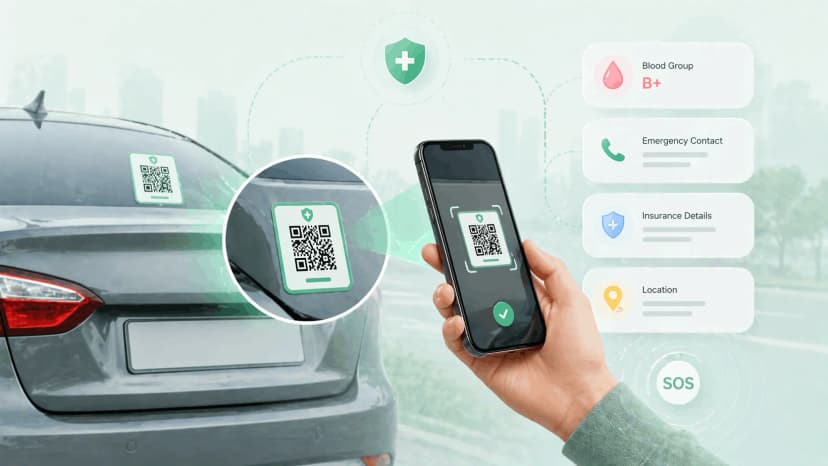
Emergency information after an accident. A QR profile on your dashboard or rear window can carry your blood type, emergency contact, insurance details, and doctor preference. If you're incapacitated after an accident, a bystander or paramedic scanning the code has the information needed to reach your family and support your care. This is covered in more depth in our vehicle emergency sticker guide.
Ownership verification. A QR profile with your name and vehicle registration number provides a quick ownership reference - useful if you need to verify the vehicle is yours in a dispute situation.
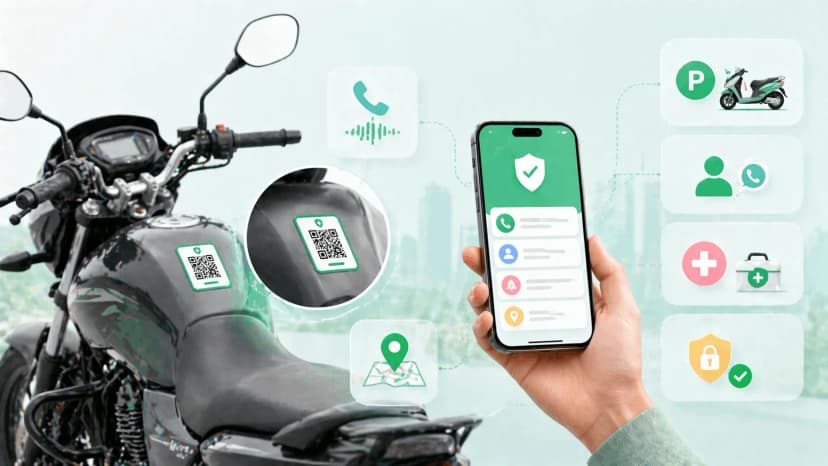
Tight bike parking in shared spaces. In apartment complexes and offices where bikes are parked in tight clusters, a QR contact sticker on your bike lets building security or blocked vehicle owners reach you without broadcasting on intercoms. The same principle as car parking - faster resolution, no hassle.
Solve Wrong Parking in Under 15 Minutes
Wrong parking hassles don't need to be a daily frustration. ProfileTap's vehicle QR code sticker lets anyone find and reach you in seconds - with call masking ensuring your personal number stays private. Set it up in under 15 minutes and make your next parking spot a contactable one.
Related reading: Bike QR Code Tag India · Vehicle Emergency QR Sticker Guide