
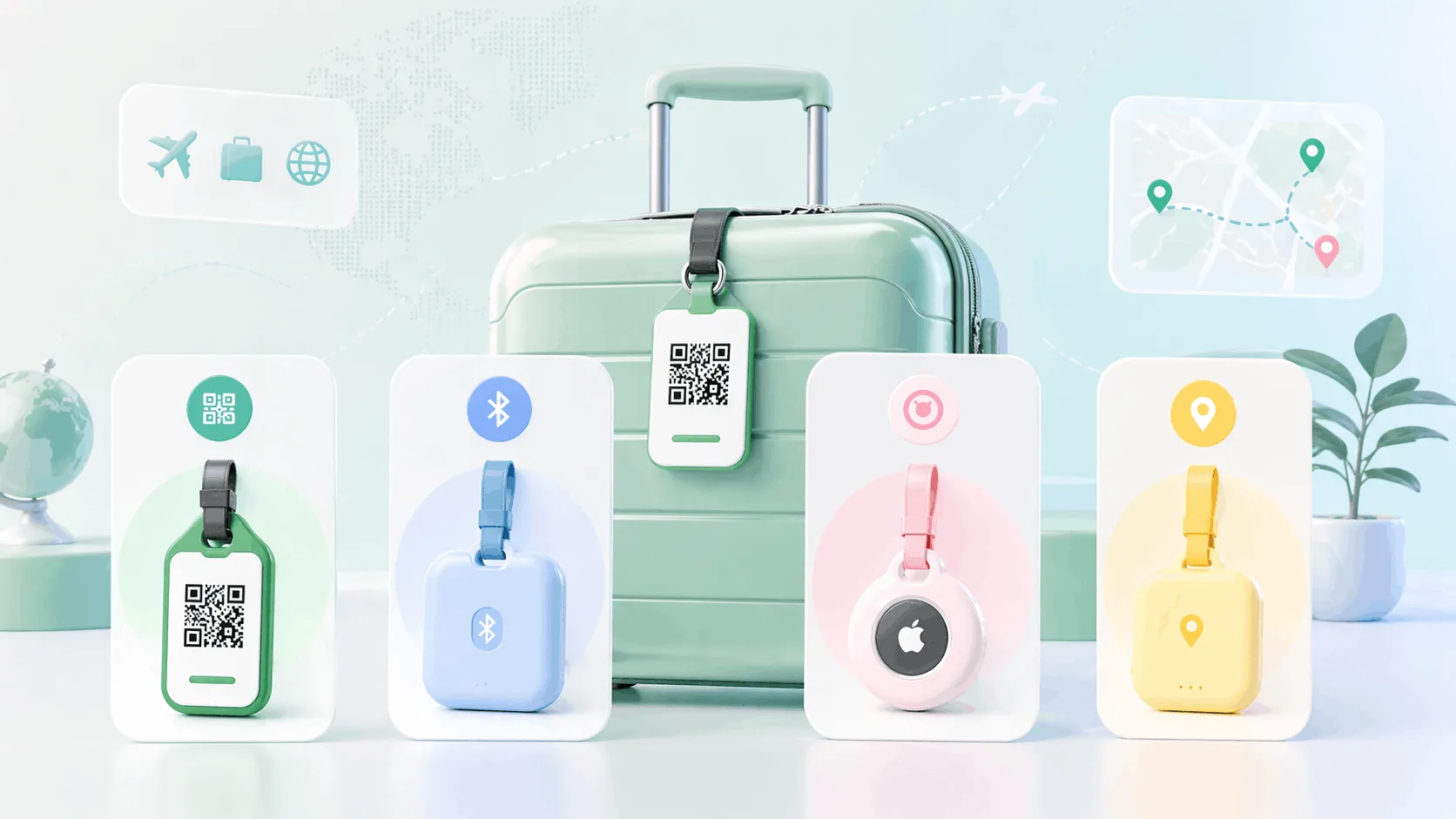
A smart luggage tag is a QR, NFC or Bluetooth tag that helps a lost or misrouted bag get back to you. A QR luggage tag lets any finder contact you instantly, with no app, no battery and no ecosystem, while a Bluetooth luggage tracker or AirTag shows the bag's location to you. For most Indian travellers a QR tag is the most reliable starting point, and pairing it with an AirTag covers both contact and live tracking. This guide compares every option and walks you to the right one for how you travel, then sets up the QR tag in five minutes.
TL;DR
- No tag stops an airline losing a bag. The right tag gets it back faster.
- QR and NFC tags solve "someone found my bag, how do they reach me"; trackers solve "where is my bag".
- Most bags in Indian airports are found by a person, so the contact tag is the one to start with.
- Frequent international flyers add an AirTag to the checked bag; the two do different jobs.
Before you start
You have checked your bag, cleared security and held your breath until it appeared on the carousel. A smart tag will not change whether that happens; it changes what happens next. The category splits into five approaches that do meaningfully different things, and the marketing on some products muddles them, so the first job is to be clear about which problem you are actually solving: being reached, or seeing a map.
What you need to decide
- How often you fly, and whether it is mostly domestic or international.
- Whether you want to be contactable, see a location, or both.
- Whether you are willing to charge or replace a battery on a tag.
Step 1: Know the five types
- QR contact tag: a code on the tag links to your travel profile, with name, number, email and anything else you add. A finder scans it and reaches you directly. No app, no battery. It does not track location. An NFC luggage tag is the same idea with a chip that opens the profile on a tap; most QR tags that carry a chip do both.
- Bluetooth luggage tracker (Tile, Samsung SmartTag): a small device that reports its approximate location through nearby phones running the same app. Effective in crowded airports and stations, weak in transit and anywhere few people run the app.
- Apple AirTag: location through the network of nearby iPhones, which is dense in big airports and urban areas. Needs an iPhone to own and view; an Android finder can tap it for your contact details only if you have put it in lost mode.
- GPS tracker: its own SIM and data plan, real-time location anywhere with mobile coverage, no dependency on nearby devices. Needs charging every one to five days and an ongoing data plan; limited availability in India.
- Traditional ID tag: a printed or engraved name and number in the tag slot. No technology, no battery, no update when your number changes. Still the baseline most bags carry.
Step 2: Compare them side by side
| Type | Location tracking | Battery | Finder needs an app | What a finder sees | Cost model | India availability |
|---|---|---|---|---|---|---|
| QR or NFC contact tag | No | No | No | Your full travel profile | One-time tag; profile free to update | High |
| Bluetooth tracker | Approximate, via app network | Coin cell, about a year | Yes, the tracker's app | Limited | One-time device | Available online |
| Apple AirTag | Precise, via iPhone network | Coin cell, about a year | iPhone to own; NFC tap for a finder | Contact details only in lost mode | One-time device | Available |
| GPS tracker | Real-time GPS | Rechargeable, one to five days | No | Nothing | Device plus ongoing data plan | Limited; usually imported |
| Traditional ID tag | No | No | No | Name and number only | One-time, cannot be updated | Very high |
Step 3: Match the tag to the problem
If an airline routes your bag to the wrong city, a QR tag will not tell you where it went. But if a ground handler, fellow traveller or airport staff member finds it, the tag gives them an immediate, friction-free way to contact you, which is how most bags actually come back. For Indian travellers specifically, the most common reason a bag goes missing is a mis-tag or handling error where the bag is in the right airport but not on the right carousel. A person finds it. Airport and airline staff are trained to check tags, and a clear code that opens a contact page is immediately useful to them.
Trackers earn their place when the bag is lost in transit (which airport did it go to), stolen (which direction did it go), or simply left somewhere you have forgotten. Their limit is the network: Bluetooth trackers need phones running the app nearby, and an AirTag needs iPhones nearby, which in Mumbai T2, Delhi T3 or Bangalore is increasingly reliable but thin in smaller airports and inside baggage storage. India is Android-majority, so the AirTag network effect is weaker here than in iPhone-heavy markets.
The step people get wrong
Buying a tracker and assuming it covers contact. An AirTag only shows a finder your details if you remembered to put it in lost mode, and only if the finder taps it. The person holding your bag at the Goa carousel needs a code they can point a camera at, and that is a different object.
Step 4: Decide, luggage tag vs AirTag or both
The luggage tag vs AirTag question is mostly a false choice, because they solve different halves of the same problem. The AirTag tells you where your bag is. The QR tag tells the person who found your bag how to reach you. For most Indian travellers the recommendation is: start with a QR contact tag on every bag, checked, carry-on and backpack. If you travel frequently and internationally, add an AirTag to the checked bag for location visibility. Occasional domestic flyers rarely need more than the tag.
Step 5: Set up the QR tag
The ProfileTap travel profile is built for exactly this. Create it with your name, contact number, email and an alternate contact; add anything useful for the trip, such as current destination, return date or insurance contact. Download the QR code and either print it onto tag card stock and laminate it, or order a ready-made tag already linked to the profile. Attach one to every bag. Then scan it yourself to confirm the profile loads and the contact buttons work. When your details change, edit the profile; the physical tag never needs replacing.
Honest comparison
Where a QR contact tag is the right first move
- Every traveller, on every bag; it is the baseline
- Occasional and domestic flyers who will never need a map
- Android households, where the AirTag network is thinner
- Anyone who wants zero batteries, zero apps and a tag that still works in five years
Where a tracker is worth adding
- Frequent international flyers who want to know which airport the bag went to before the airline tells them
- Anyone who has had a bag stolen rather than misplaced
- Travellers who regularly leave bags in cabs and cafes and want a map, not a phone call
- Those happy to charge or replace a battery and, for an AirTag, who own an iPhone
Common mistakes
Four things that make a tag useless on the day
- Putting your home address on the tag. A finder needs a way to reach you, not a map to your empty house; the profile shows only the contact methods you choose.
- Tagging only the checked bag. Carry-ons and backpacks get left on trains and in lounges far more often.
- Never test-scanning the code after printing. One scan catches a blurry print or a broken link.
- Forgetting lost mode on an AirTag, which is the only way an Android finder sees anything at all.
You're done
A smart luggage tag anyone can use, with no app, no battery and no ecosystem, is the most reliable way to make sure a found bag becomes a returned bag. The QR luggage tag ships linked to a travel profile that can also carry your emergency information; the wider picture is in the travel safety QR code guide and the medical emergency QR code guide.