
Brand managers google you before they email you. Make sure what they find is worth a deal.
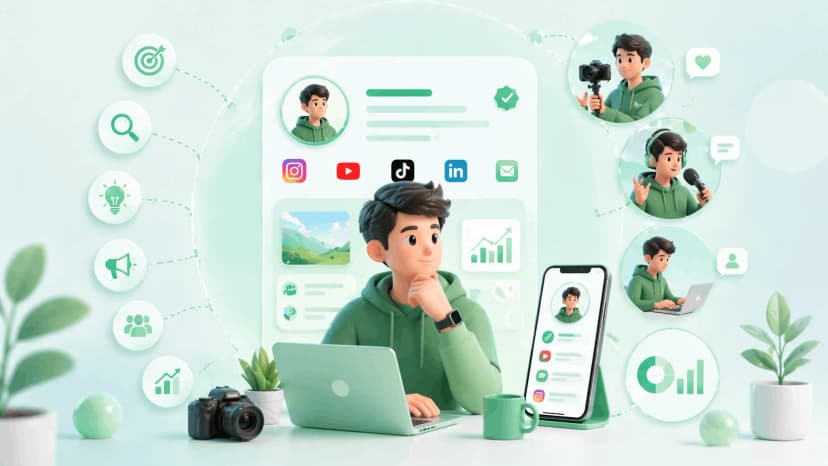
That means your digital presence needs to be more than an Instagram grid. When a brand manager is shortlisting creators for a campaign, they want your niche, your audience numbers, your platform handles, your media kit, and a contact method - all in one place, instantly accessible.
A digital business card for creators solves exactly that. It's not a paper card. It's a live, shareable creator profile that gives brands everything they need to make a decision about working with you.
This guide covers what to put on it, how to set it up, and how to use it at brand events to make connections that convert.
How Influencers Use Digital Business Cards for Brand Deals
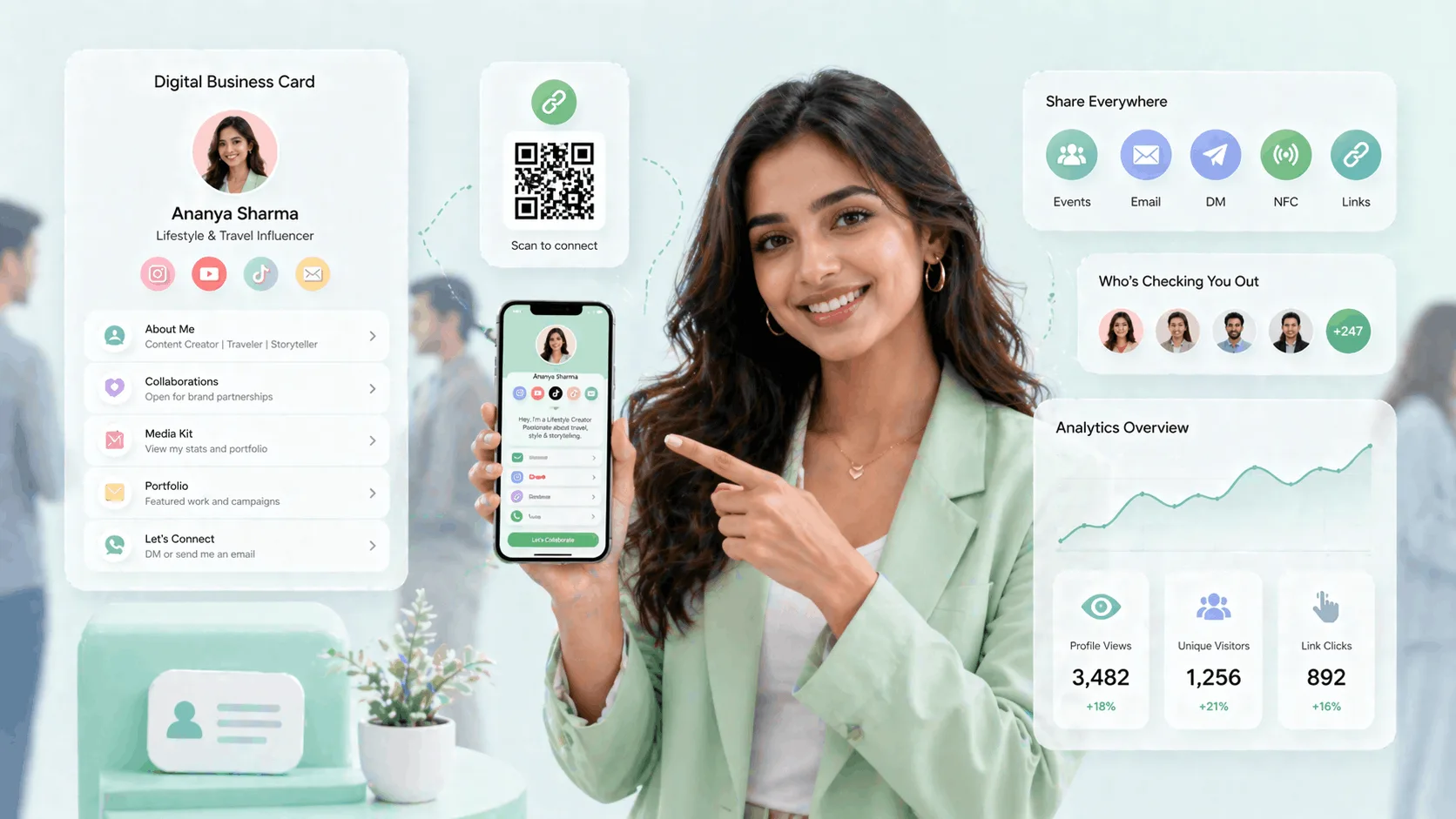
Here's how influencers use digital business cards for brand deals: they put the whole pitch behind one link — niche, follower counts, platform handles, a live media kit and a collaboration-enquiry button — so a brand manager can size you up and reach out in seconds. Instead of a scattered DM thread, you hand over one scannable digital business card for creators that answers 'should we work with this creator?' on the spot.
This is the complete playbook for a digital business card for influencers — what brands expect on it, and how a digital visiting card for influencers differs from a basic link page.
Why Influencers Need a Digital Business Card
The traditional exchange - "Here's my Instagram, DM me" - breaks down at scale. When you're at a brand activation in Mumbai, meeting a dozen potential collaborators, or pitching at a content creator conference, you need something faster and more professional than hoping people remember to search you.
Here's what a digital business card fixes for influencers:
Brand collaborations happen faster. A brand manager who receives your full creator profile - niche, audience size, platform links, media kit - can make a decision without a back-and-forth email chain. The less friction between "I met this creator" and "I want to work with this creator," the better for you.
Event invites are easier to follow up. You get invited to a product launch in Delhi. The PR agency has 50 creators on their list. The ones they remember and re-invite are the ones who shared a clean, professional profile. A digital card shared via QR code or NFC tap at the event makes that happen.
You're always ready. PR packages, collaboration requests, and brand inquiries don't wait for you to update a PDF. A digital card is live - when you update your profile, the link your contacts already have updates automatically.
Your media kit is always accessible. Upload your media kit PDF to your creator profile and it's available the moment anyone scans your QR code - no emailing attachments, no outdated decks floating around in people's inboxes.
What to Include on a Digital Influencer Card
This is the information that matters to brands. Include everything here. Omitting any of it creates friction.
Every strong creator business card and nfc card for influencers includes the same core fields — niche, numbers, platforms, media kit, and a booking email.
Your creator niche - stated in one line. Not "lifestyle creator." Write: "Mumbai-based food creator focused on regional Indian cuisine | 80K YouTube." Your niche should be visible before any scrolling.
Following counts by platform. List your top 2–3 platforms with current follower counts. Keep this updated - ProfileTap profiles update in real-time, so this stays accurate automatically.
Active platform handles. Link directly to your Instagram, YouTube, Twitter/X, LinkedIn, or podcast - wherever your primary content lives. Make it one click to get to any channel.
Media kit link. Embed or link to your media kit PDF. This is non-negotiable if you're pitching for paid deals. A brand manager without a media kit is a brand manager who's asking their assistant to find your rates - and that's a deal that usually dies in email.
Booking or collaboration email. Your public booking email. Not your personal email. Brands don't cold-call creators - they email. Make it obvious where to do that.
QR code for offline sharing. A QR code that opens your full profile instantly. More on this below.
Optional but useful: Brand collabs you're open to, your content categories, languages you create in, cities you cover.
How to Set Up Your Influencer Digital Card on ProfileTap
This takes under 20 minutes to set up properly.
Step 1: Create a creator profile Sign up on ProfileTap and select "Creator" as your profile type. This unlocks creator-specific fields - platform handles, audience size, content categories, and media kit attachment.
Step 2: Fill in your platforms Add your Instagram, YouTube, and any other active channels. These appear as direct links on your profile, not just icons. Someone who opens your profile can tap directly through to your content.
Step 3: Link your media kit Upload your media kit PDF or link to an online version (Google Drive, Canva, Notion). It'll appear as a prominent link on your profile. Update it whenever your rates or stats change - the link in people's contacts updates automatically.
Step 4: Write your niche statement In the bio/description field, write one clear sentence: what you create, who you create it for, and your numbers. This is the first thing a brand manager reads.
Step 5: Choose your profile theme ProfileTap has a wide range of themes. Pick one that matches your visual brand. Consistency between your profile aesthetic and your content aesthetic signals professionalism.
Step 6: Share via NFC or QR at brand events Once your profile is live, ProfileTap generates both a QR code and an NFC-enabled card. At offline events, you can either show your QR code from your phone, print a QR sticker for your badge or lanyard, or tap your ProfileTap NFC card against any smartphone - no app required on the other side.
NFC Cards at Creator Events and Meetups
The creator event scene in India has grown significantly. YouTube Creator Summit, Instagram Brand Day, brand activations in Bangalore and Mumbai, creator house events, podcast festivals — there are real in-person opportunities to make connections that turn into deals.
Most creators at these events exchange Instagram handles or hope the other person remembers to follow. That's a broken system.
With a ProfileTap NFC card, you tap it against a brand manager's phone and your full creator profile opens in their browser — no app, no searching, no forgetting. They have your niche, your platforms, your media kit link, and your booking email in one tap.
That's the difference between a brand manager thinking "I should follow this person" and them thinking "let me add this to my outreach list."
NFC also works for press walls, brand booths, and merch tables. Print your QR code on your event badge. Put an NFC sticker on the back of your phone. Make it impossible for someone to meet you and leave without having your full profile.
Creator Analytics: Know Who's Viewing Your Profile
Here's what most digital business card tools don't give you: visibility into who's actually looking.
ProfileTap's advanced analytics for creators shows you:
- Total profile views and unique visitors
- Which links are getting the most clicks
- Which platforms are sending traffic to your profile
- Peak times for profile visits
This data is useful in ways most creators don't realise. If you sent your profile link to three brand managers on a Monday and your analytics show three profile visits from a corporate network on Tuesday, you know someone's been looking. That's the signal to follow up.
If your YouTube link is getting 10x more clicks than your Instagram link, you know which platform your visitors value most - and that should inform how you pitch your packages.
Data turns guesswork into strategy.
Set Up Your Creator Profile Today
Your digital business card is the difference between being discovered and being forgotten. A clean, complete creator profile makes it easy for brands to say yes.
Set up your digital business card for influencers once, and it works at every brand event, pitch, and DM. A complete digital business card for influencers is what turns a chance meeting into a paid collaboration.
ProfileTap's digital business card for creators gives you a shareable smart profile with NFC sharing, creator analytics, media kit linking, and a live QR code - everything a professional influencer needs in one place.
Explore your creator identity options and set up your profile in under 20 minutes.
Related reading: How to Build a Personal Brand Online · Best Instagram Bio Ideas for Creators · Digital Visiting Cards for Freelancers