

A negative Google review sitting unanswered for two weeks does more damage than no review at all. But when you are running a clinic, managing a team, or meeting clients all day, writing thoughtful review responses falls to the bottom of the list. AI review management changes that equation - it drafts professional responses in seconds, flags urgent reviews immediately, and helps you collect more positive reviews without manual effort.
Here is how it works in practice, and how Indian businesses are using it in 2026.
Why Review Management Matters More in India
Google reviews are the new word-of-mouth in Indian cities. Before visiting a doctor in Pune, a restaurant in Delhi, or a salon in Bangalore, the first thing most people do is check the Google rating.
The numbers that matter:
- Businesses with 4.5+ stars get 35% more clicks than those with 4.0 stars
- 88% of consumers trust online reviews as much as personal recommendations
- The average Indian consumer reads 5-7 reviews before making a decision
- Businesses that respond to reviews get 12% more new reviews
The problem is not awareness - most business owners know reviews matter. The problem is time. Writing a thoughtful, professional response to every review takes 5-10 minutes each. Multiply that by 10-20 reviews a month, and it is 2-3 hours of work that keeps getting postponed.
What AI Review Management Actually Does
AI review management is not "AI writes fake reviews." It is a set of tools that help you manage real reviews faster and more consistently.
1. Automated Response Drafting
When a new review comes in, AI reads the content, understands the sentiment (positive, negative, neutral), and drafts an appropriate response.
Example - positive review:
> Review: "Dr. Sharma is very thorough and explains everything clearly. The clinic is clean and the staff is helpful."
> AI draft: "Thank you for your kind words! We're glad Dr. Sharma could provide the thorough care you deserve. Our team works hard to maintain a welcoming environment, and it's wonderful to hear that effort is noticed. We look forward to seeing you at your next visit."
Example - negative review:
> Review: "Waited 45 minutes past my appointment time. Very poor time management."
> AI draft: "We sincerely apologise for the extended wait during your visit. We understand your time is valuable, and this falls below our standard. We are reviewing our scheduling process to prevent this from happening again. If you would like to discuss this further, please contact our front desk directly."
You review the draft, edit if needed, and post. What took 10 minutes now takes 30 seconds.
2. Review Sentiment Monitoring
AI categorises incoming reviews by sentiment and topic:
| Sentiment | Example Topics | Action |
|---|---|---|
| Positive | Staff, service quality, cleanliness | Thank and reinforce |
| Negative | Wait time, pricing, rude behaviour | Respond urgently, investigate |
| Neutral | Generic "good" or "okay" | Respond warmly, encourage detail |
| Mixed | "Great doctor but long wait" | Acknowledge both, address the negative |
This lets you prioritise - negative reviews get immediate attention, positive reviews get timely thanks.
3. Smart Review Request Timing
AI analyses your client interaction patterns and suggests the optimal moment to request a review:
- For a doctor: Right after a successful follow-up appointment, not after the first visit
- For a restaurant: Within 2 hours of the meal, while the experience is fresh
- For a freelancer: After delivering the final project, not mid-project
- For a real estate agent: After the deal closes, not during negotiations
ProfileTap Business AI does this automatically - it tracks when clients engage with your profile and suggests review request timing based on actual engagement data.
4. Review Collection via QR
Instead of asking "Please leave us a Google review" and hoping clients remember, AI-powered tools generate QR codes that link directly to your Google review page. Place them on:
- Reception desk standees
- Bill receipts
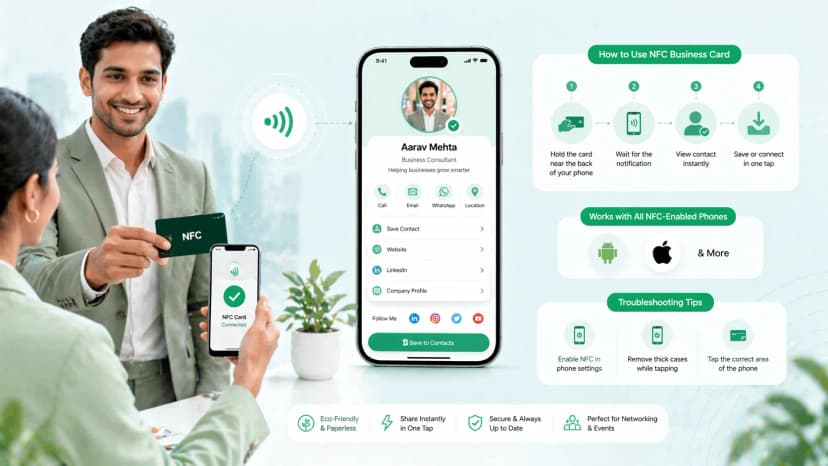
- NFC business cards (clients tap to review)
- Follow-up WhatsApp messages
Step-by-Step: Setting Up AI Review Management
Step 1: Connect Your Google Business Profile
Link your Google Business Profile to your review management tool. ProfileTap Business AI does this through your existing business profile - no additional setup needed.
Step 2: Set Response Preferences
Configure your tone and style:
- Professional and warm (recommended for healthcare, education)
- Friendly and casual (recommended for restaurants, salons)
- Formal (recommended for legal, financial services)
AI adapts its drafted responses to match your chosen tone.
Step 3: Enable Review Alerts
Set up notifications for:
- All new reviews (recommended)
- Negative reviews only (minimum)
- Reviews mentioning specific topics (e.g., "wait time", "pricing")
Step 4: Create Your Review Request Flow
Choose how you will request reviews:
- QR code on physical standee or card
- WhatsApp message after service
- Email follow-up
- NFC tap on your ProfileTap business card
Step 5: Review and Post AI Drafts
When a new review comes in:
- You get a notification with the AI-drafted response
- Read the draft - edit if needed (usually minor tweaks)
- Post the response
- Total time: under 1 minute
Common Mistakes in Review Management
Mistake 1: Ignoring Negative Reviews
Some businesses avoid responding to negative reviews, hoping they will get buried. They do not. Unanswered negative reviews signal to potential customers that you do not care. Always respond - AI makes it fast and professional.
Mistake 2: Copy-Paste Identical Responses
Posting "Thank you for your feedback!" on every review - positive and negative - looks worse than not responding at all. AI drafts unique responses for each review, considering the specific content and sentiment.
Mistake 3: Getting Defensive
When a negative review stings, the instinct is to argue. AI helps here - it drafts a calm, professional response by default. You can edit the tone, but the AI anchor keeps you from writing something you will regret.
Mistake 4: Only Asking Happy Customers for Reviews
If you only request reviews from people you know are happy, your review profile will not reflect reality. More importantly, you miss the chance to identify and fix problems early. Request reviews from all clients - the honest feedback is more valuable than the star count.
AI Review Management for Specific Industries
Doctors and Clinics
- Key review topics: Wait time, doctor behaviour, clinic cleanliness, treatment outcomes
- Response tone: Professional, empathetic, HIPAA-aware (do not discuss treatment specifics in public responses)
- Review request timing: After follow-up appointment confirms positive outcome
- ProfileTap advantage: Digital business card for doctors with built-in review request flow
Restaurants and Cafes
- Key review topics: Food quality, service speed, ambiance, pricing
- Response tone: Warm, grateful, inviting
- Review request timing: Within 2 hours of the meal
- Tip: Respond to food-specific praise with specific thanks ("Glad you enjoyed the butter chicken!")
Real Estate Agents
- Key review topics: Communication, market knowledge, negotiation, responsiveness
- Response tone: Professional, trustworthy
- Review request timing: After deal closure and handover
- ProfileTap advantage: Digital business card for real estate agents with team review tracking
Salons and Spas
- Key review topics: Stylist skill, hygiene, wait time, pricing
- Response tone: Friendly, personal
- Review request timing: Immediately after service, while the client is still happy with their look
Try AI Review Management With ProfileTap
If you already have a ProfileTap business profile, Business AI review management is built in. If you do not have one yet, creating a profile takes 5 minutes and you will start receiving AI-powered review insights as soon as your first review comes in.
[Create Your Free Business Profile](https://profiletap.com/signup)

.webp&w=828&q=75 "Best AI Tools for Small Business in India (2026)")