
In a medical emergency, every second matters. A medical QR code gives paramedics and bystanders the information they need instantly - without you being able to speak.
If you lose consciousness in a road accident, have a cardiac event in a public place, or are incapacitated by a severe allergic reaction, the person helping you needs three things immediately: your emergency contact, your blood group, and any conditions or medications that affect treatment. A medical emergency QR code makes all of that accessible in under 10 seconds - to anyone with a smartphone.
This guide explains what goes into a medical QR profile, who should have one, and how to set it up correctly.
Think of a medical id qr code as your silent voice in a crisis: an emergency medical qr that any phone can read, and a medical qr tag you can keep in your wallet, on your phone, or on a bracelet.
What Is a Medical Emergency QR Code?
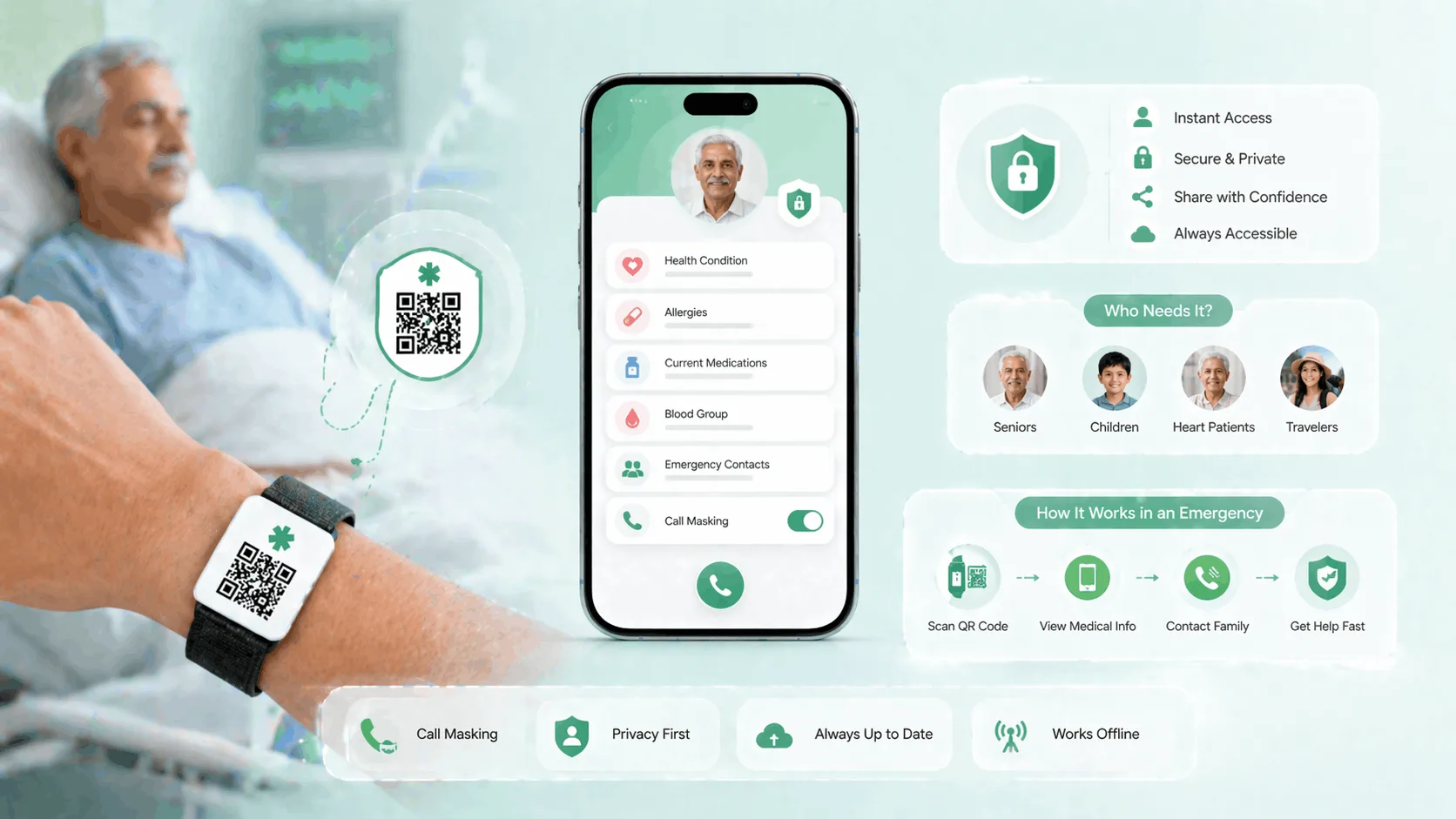
A medical emergency QR code is a QR code linked to a digital profile that contains critical medical and contact information. When someone scans it - using any smartphone camera, with no app required - the profile opens in their browser immediately.
Unlike a traditional medical ID bracelet or a paper emergency card, a QR-based profile is:
- Updatable in real time - change a medication or phone number and every existing QR code that links to your profile reflects the update instantly
- Unlimited in information depth - a physical card holds a few lines; a digital profile holds your full medical history, multiple emergency contacts, and doctor details
- Privacy-protecting - your emergency contacts can be reached through the profile without their direct phone numbers being exposed permanently
- Universally scannable - any smartphone running iOS or Android can scan a QR code with the native camera; no app installation required
The profile should be accessible on the lock screen - a point covered in the FAQ below - and the QR code should be in a location where a first responder will look.
What Information Goes in a Medical Emergency QR Code
Include everything that affects emergency response. This checklist covers the essential fields.
Critical medical information:
- Blood group (e.g., B+, O−)
- Known allergies - especially drug allergies (penicillin, NSAIDs, contrast dye) and food allergies (nuts, shellfish)
- Current medications with dosages - anticoagulants, insulin, immunosuppressants, and seizure medications are particularly important
- Chronic conditions - diabetes, epilepsy, heart disease, hypertension, asthma, COPD
- Implanted devices - pacemakers, cochlear implants, joint replacements (relevant for MRI decisions)
- Donor status - if you are a registered organ donor
Emergency contacts:
- Primary emergency contact name and relationship
- Primary contact phone number (kept private; shown as a call option)
- Secondary emergency contact (different phone, different location)
- Primary physician name and contact
Identification:
- Your name
- Date of birth (for identity confirmation)
- A recent photograph
- Health insurance provider and policy number (relevant for hospital admission)
Not all of this needs to be public-facing. Use ProfileTap's visibility controls to decide what a stranger sees versus what a verified contact sees.
Who Should Have a Medical QR Code
The short answer: anyone whose medical history could affect emergency treatment. That includes more people than most families realise.
Elderly parents and grandparents The majority of cardiac events, falls, and strokes in India occur in people over 60. An elderly family member who lives alone, travels by auto or metro, or attends functions in crowded spaces is at real risk of a medical emergency where no family member is present. A QR code on their wallet card, phone case, or keychain means any helpful bystander can reach family and share medical history with paramedics.
People with chronic conditions Diabetes, epilepsy, heart disease, hypertension, and severe asthma each require specific emergency responses. A paramedic who knows a patient has epilepsy will respond differently than one who doesn't - reducing the risk of incorrect treatment. The information on the QR profile can directly influence the clinical decision made in the first minutes.
People with severe allergies Drug allergies in particular are invisible until they're life-threatening. If you have a known reaction to penicillin or aspirin and are unconscious when someone is treating you, a QR profile visible on your wallet or bracelet can prevent a dangerous drug administration.
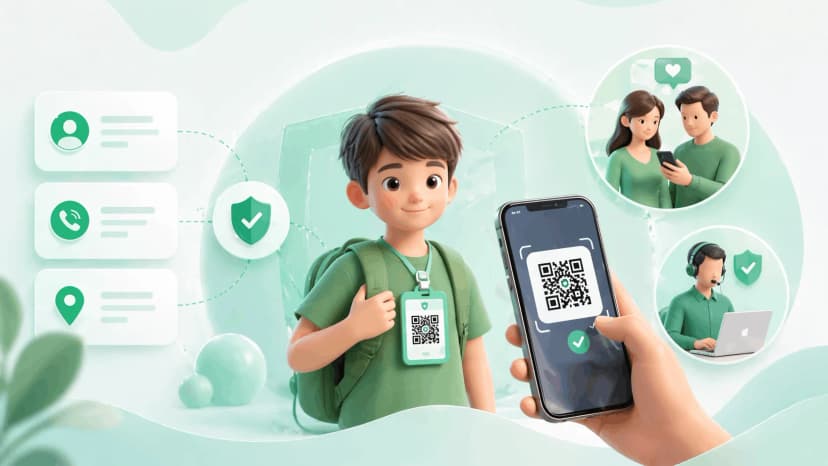
Children A child's medical QR profile should include their blood group, allergies, any conditions, and parent contacts. See our guide to family safety profiles for the full child-specific setup.
Frequent travellers If you travel regularly - by air, train, or road - across India or internationally, you may receive emergency care far from your regular doctor. A QR profile that travels with you (on your phone case, travel wallet, or luggage tag) ensures your medical history is accessible wherever you are.
Anyone with a blood type or allergy not obvious from appearance Blood group errors in emergencies are rare but serious. If you are O negative (universal donor) or AB negative (rare), this information is worth making immediately accessible.
How Medical QR Profiles Work
The mechanics are simple. Understanding them helps you place your QR code in the right location.
- You create an emergency profile on ProfileTap with your medical information and emergency contacts.
- ProfileTap generates a unique QR code linked to that live profile.
- You print or attach the QR code to a physical location where a first responder will find it.
- In an emergency, the person helping you scans the QR with any smartphone camera.
- Your profile opens in their browser - no app download, no login required.
- They see your blood group, allergies, conditions, and can initiate a call to your emergency contact.
Where to place your QR code:
- On a wallet card (behind your ID or health card)
- On the back of your phone case (a sticker or engraved NFC card)
- On a medical ID bracelet (QR printed alongside traditional engravings)
- In your car (on the sun visor or glove box)
- Inside your travel wallet or passport cover
- On a lanyard for work environments with physical safety risks
The key principle: place it where someone would look in an emergency. For most people, the wallet or phone case are the best options.
Privacy Considerations for Medical QR Profiles
A medical QR profile is necessarily more information-rich than other profile types. This makes the privacy design especially important.
What to make publicly visible (anyone who scans):
- Your name and photo (for identity confirmation)
- Blood group
- Critical allergies
- Key medical conditions that affect emergency response
- A call option to reach your primary emergency contact (without exposing their number)
What to keep private behind a call option:
- Emergency contact phone numbers - shown as a call option so callers can reach your contacts without seeing their direct numbers
- This prevents your family's numbers from being permanently accessible to anyone who handles your card
What to keep private (not shown to scanners):
- Your full medication list unless it directly affects emergency care
- Your health insurance details unless you include them specifically for hospital-admission contexts
- Your home address
On updating your profile: Medical information changes. Update your profile whenever you start or stop a medication, receive a new diagnosis, or change emergency contacts. Because the QR code links to your live profile - not a static document - every update is reflected immediately across all existing QR codes. This is a fundamental advantage over printed cards or engraved bracelets.
Setting Up a Medical Emergency Profile with ProfileTap
Step 1: Create an emergency profile Log in to ProfileTap and create a new profile. Select the emergency or family safety profile type.
Step 2: Add your medical information Fill in blood group, allergies, current medications, and chronic conditions using the checklist above. Be specific - "allergic to penicillin: anaphylaxis" is more useful than "drug allergy."
Step 3: Add emergency contacts privately Add your primary emergency contact and at least one backup. Keep their numbers private and show a call option instead. This ensures a rescuer can initiate a call to your contacts without seeing their phone numbers directly.
Step 4: Set visibility Review each field and configure visibility. Blood group, critical allergies, and a call option should be public. Full medication lists and insurance numbers can be restricted.
Step 5: Generate and attach your QR code ProfileTap generates a downloadable QR code. Print it as a wallet card insert, order a ProfileTap NFC card, or print a sticker for your phone case. Choose the format that matches where you'll use it.
Step 6: Review and test Scan your own QR code with a second device. Confirm the profile opens correctly and all critical fields are visible. Ask a family member to test the call option - initiate a call from the profile and confirm it connects correctly.
Step 7: Inform your emergency contacts Tell your designated contacts that you've set this up. They should know they may receive an unexpected call from your profile in an emergency, possibly from an unfamiliar number, and should answer it.
Set Up Your Emergency Profile
A medical QR code is one of the most practical safety tools available - and one of the least used. The setup takes under 15 minutes and protects you in situations where you cannot speak for yourself.
ProfileTap's emergency QR code setup gives you a live, updatable profile with privacy controls you manage, full medical information fields, and a printable QR code for your wallet, phone, or medical ID.
Set up your family safety profile today.
Related reading: Child Safety Tags India Guide · Emergency Contact Card for Kids
.webp&w=828&q=75 "Best Child Safety Tags for School Bags in India (2026) | ProfileTap")